




When you decide to stream video over the internet — a live channel, a course platform, a web TV — two names come up right away: MediaCP and VDOPanel. Both are streaming control panels: the software you use to manage your broadcasts, your players and your accounts, without touching the server's command line.
The question is a fair one: which is better? The honest answer is that they don't compete head to head. MediaCP is the veteran all-in-one (radio + video, with a professional-grade Wowza engine); VDOPanel is the budget video specialist on Nginx. In this guide we explain what each one does, where it shines, where it falls short, and which one we recommend for your project.
MediaCP
"The all-in-one panel, veteran and professional"
Radio and video in the same panel, with several streaming engines — including Wowza, the industry standard. Mature, widely used and with advanced features.
VDOPanel
"The budget video specialist"
A panel focused only on video, on Nginx (no Wowza license). Cheaper and simpler, with live, WebTV and hybrid modes.
What is a streaming panel, and why does it matter?
A streaming panel is the management layer installed on top of the server. Without it, streaming video would mean manually configuring the media server, the encoders, the players and the stats. The panel gives you all of that from your browser: create your channel, upload your content, copy the player code and go live.
Underneath the panel there's always a streaming engine — the software that actually delivers the video to your audience. This is the first big difference between these two panels, and it's worth understanding before comparing them:
Wowza vs Nginx in one sentence: Wowza Media Server is the professional engine, the most widely used and stable one in the streaming world, with low latency and advanced features (nDVR, transcoding, DRM). Nginx (with the RTMP module) is a lighter engine that runs on the same server: it covers most broadcasts and is cheaper because it carries no license. MediaCP can use both; VDOPanel uses Nginx.
What is MediaCP? The all-in-one veteran
MediaCP (Media Control Panel) is one of the most established streaming panels on the market. Its big differentiator is that it handles radio and video in a single panel, and can rely on several engines depending on what you need: Wowza Streaming Engine and Flussonic for professional use, Nginx for the budget option, plus SHOUTcast and Icecast for audio.
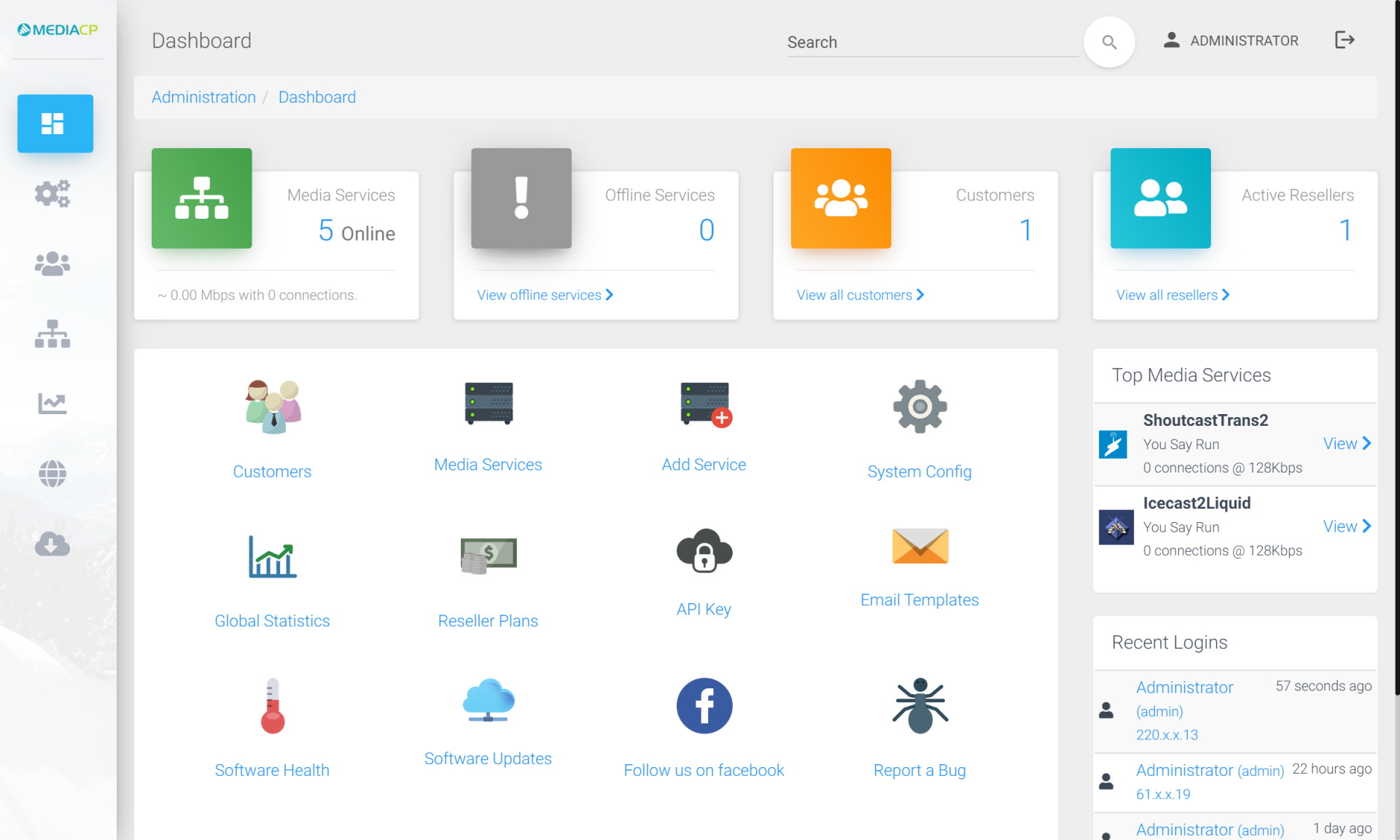
MediaCP admin panel — radio and video from your browser.
On the video side, MediaCP covers practically the whole range:
Live video with RTMP/RTSP and HLS, for broadcasting live events
Video on demand (VOD): your library available on request
24/7 TV Station with AutoDJ: build your schedule and broadcast continuously
nDVR recording, transcoding and IP camera relay
Simulcast (rebroadcast) to YouTube, Facebook and Twitch at once
HTML5 players (VideoJS, JW Player, FlowPlayer) with SSL
Statistics with geographic map, reseller and billing with WHMCS
With the Wowza engine, MediaCP moves into professional territory: very low latency, extra protocols (WebRTC, MPEG-DASH) and the advanced features a mission-critical project demands. It's what our video clients contract the most, and what we recommend the most.
What is VDOPanel? The budget specialist
VDOPanel (by EverestCast) is a panel focused solely on video, built on Nginx-RTMP. It skips the Wowza license to keep the price down, and organizes its offering into three very clear modes:
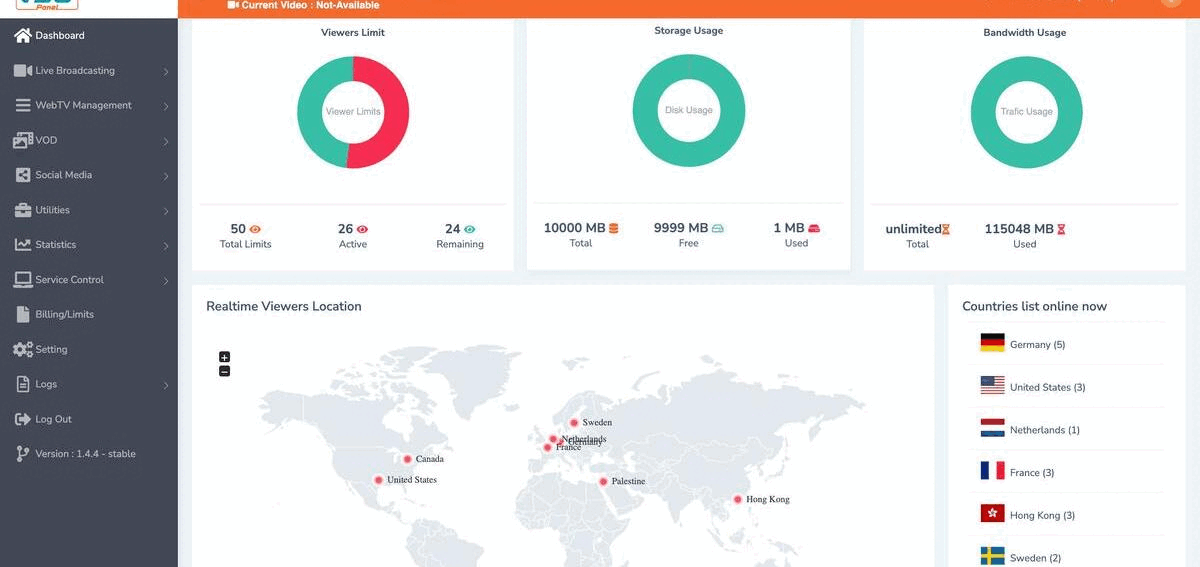
VDOPanel dashboard — viewers, storage, bandwidth and a real-time map.
Live: live broadcasting over RTMP
WebTV: video on demand from your library
Hybrid: live and on demand at once, in a single plan
It brings what a video project needs without added complexity: HTML5 players, HLS, statistics with a map, SSL streaming, simulcast to YouTube and Facebook, reseller accounts with your own branding, domain/IP blocking, chat, Chromecast and a multi-language panel. It's simpler than MediaCP, and therefore cheaper — ideal if your project is video-only and you want to watch your budget.
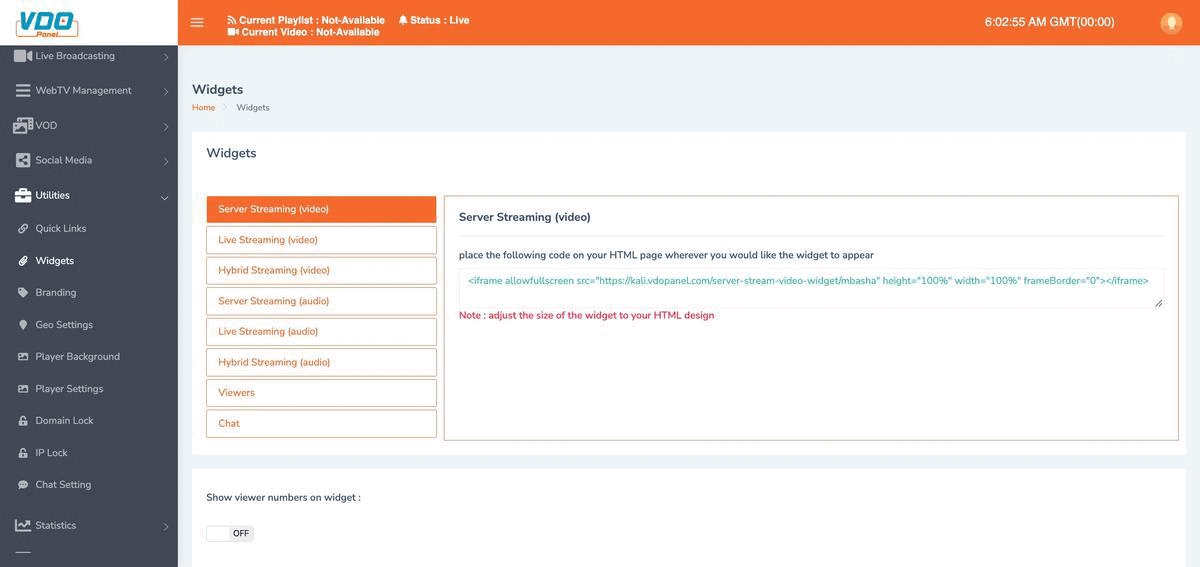
VDOPanel — player codes for web/app (server, live and hybrid).
The comparison, side by side
Laid out in a table, the difference is clear. We highlight the MediaCP column because it's the one we recommend for most serious video projects:
| MediaCP | VDOPanel | |
|---|---|---|
| Focus | MediaCPAll-in-one: radio + video | VDOPanelVideo only |
| Streaming engines | MediaCPWowza, Flussonic, Nginx, SHOUTcast, Icecast | VDOPanelNginx-RTMP |
| Latency | MediaCPVery low with Wowza (RTMP/RTSP/WebRTC) | VDOPanelStandard (HLS) |
| Live video | MediaCPYes | VDOPanelYes |
| Video on demand (VOD / WebTV) | MediaCPYes | VDOPanelYes (WebTV) |
| 24/7 TV / Hybrid | MediaCPTV Station with AutoDJ + VOD-2-Live | VDOPanelHybrid mode (live + WebTV) |
| nDVR recording / transcoding | MediaCPYes (full with Wowza) | VDOPanelBasic |
| Social media simulcast | MediaCPYouTube, Facebook, Twitch | VDOPanelYouTube, Facebook |
| HTML5 players | MediaCPVideoJS, JW Player, FlowPlayer | VDOPanelHTML5 + Chromecast |
| Radio (audio) | MediaCPYes (SHOUTcast/Icecast, AutoDJ) | VDOPanelNo |
| Reseller / own branding | MediaCPYes | VDOPanelYes (branding, domain/IP lock) |
| Maturity and adoption | MediaCPVery high — industry standard | VDOPanelGrowing |
| Price | MediaCPPremium with Wowza · budget with Nginx | VDOPanelBudget |
| Best for | MediaCPSerious projects, radio+video, mission-critical | VDOPanelVideo only, tight budget |
Pros and cons of each one
MediaCP — pros
- Radio and video in a single panel
- Wowza engine: the most stable and widely used, low latency
- Budget Nginx option within the same panel
- Advanced features: nDVR, transcoding, IP cameras
- 24/7 TV with AutoDJ + VOD-2-Live
- Very mature, huge adoption and support
MediaCP — cons
- Costs more with Wowza (engine license)
- More features mean a somewhat steeper learning curve
- More panel than you need if you only do simple video
VDOPanel — pros
- More affordable (Nginx, no Wowza license)
- Simple and 100% focused on video
- Clear modes: live, WebTV and hybrid
- Simulcast to YouTube and Facebook
- Reseller with branding, domain/IP lock, Chromecast
VDOPanel — cons
- Video only: doesn't work for radio
- Nginx = standard latency (without Wowza's low latency)
- Advanced features (nDVR, DRM) more limited
- Smaller ecosystem and adoption than MediaCP
Which one do we recommend at Capa7?
For most serious video projects, we recommend MediaCP with Wowza. It's the most stable engine, the most widely used in the industry, and the one our clients contract the most: if your broadcast matters — an event, a channel, a platform with a real audience — you'll want Wowza's reliability and low latency. And if you add a radio station later, you're already on the right panel.
That said, there's no single answer. If your project is video only and you want to watch your budget, VDOPanel (or the budget version of MediaCP on Nginx, available on the same pages) is a perfectly valid alternative.
The easy rule to decide
Is your broadcast important, do you mix radio and video, or do you need low latency and pro features? Go with MediaCP + Wowza. Is it a simple video project on a tight budget? VDOPanel or budget MediaCP on Nginx gets it done for less. Still unsure? We'll tell you which one fits you over WhatsApp, no commitment.
The plans we recommend
At Capa7 we host both panels on our own infrastructure in the Cogent datacenter, Boca Raton (Miami), with Tier-1 network. Depending on your project, here's the entry point:
24/7 TV Station (MediaCP + Wowza)
Your channel broadcasting continuously with AutoDJ.
From $22.90/month
See PlansTight budget? Each of those pages includes a budget version on Nginx (up to 10% cheaper), and we also have the VDOPanel panel with live, WebTV and hybrid plans from $9.90/month. And if what you need is radio + video on a single MediaCP panel, we cover that too.
Questions we get asked often
Is VDOPanel "worse" than MediaCP?
No: it's different. VDOPanel does well what it promises — budget video on Nginx. MediaCP covers more ground (radio, Wowza, advanced features) and that's why it's the choice for more demanding projects. Worse or better depends on what you need.
Can I start cheap and migrate later?
Yes. Many people start with the Nginx (budget) version or with VDOPanel, and move to MediaCP + Wowza as their audience grows. We help you migrate without losing your content.
What if I want to stream radio, not video?
Then MediaCP is your panel — or one of the radio-specific panels we offer. Check out our guide and radio streaming pages. VDOPanel doesn't handle audio.
Do I need to know about servers to use these panels?
No. We install, configure and maintain the server and the panel. You log in from your browser to manage your channel, and if you get stuck, we help you in Spanish or English over WhatsApp.

Capa7 Team
17 years managing hosting, VPS, dedicated servers and streaming on our own infrastructure in Boca Raton, Florida. We write the way we'd like things explained to us: clear and no fluff.
Still unsure which panel fits you?
Tell us what you want to stream and we'll recommend the exact plan — no commitment.
Message Us on WhatsApp